

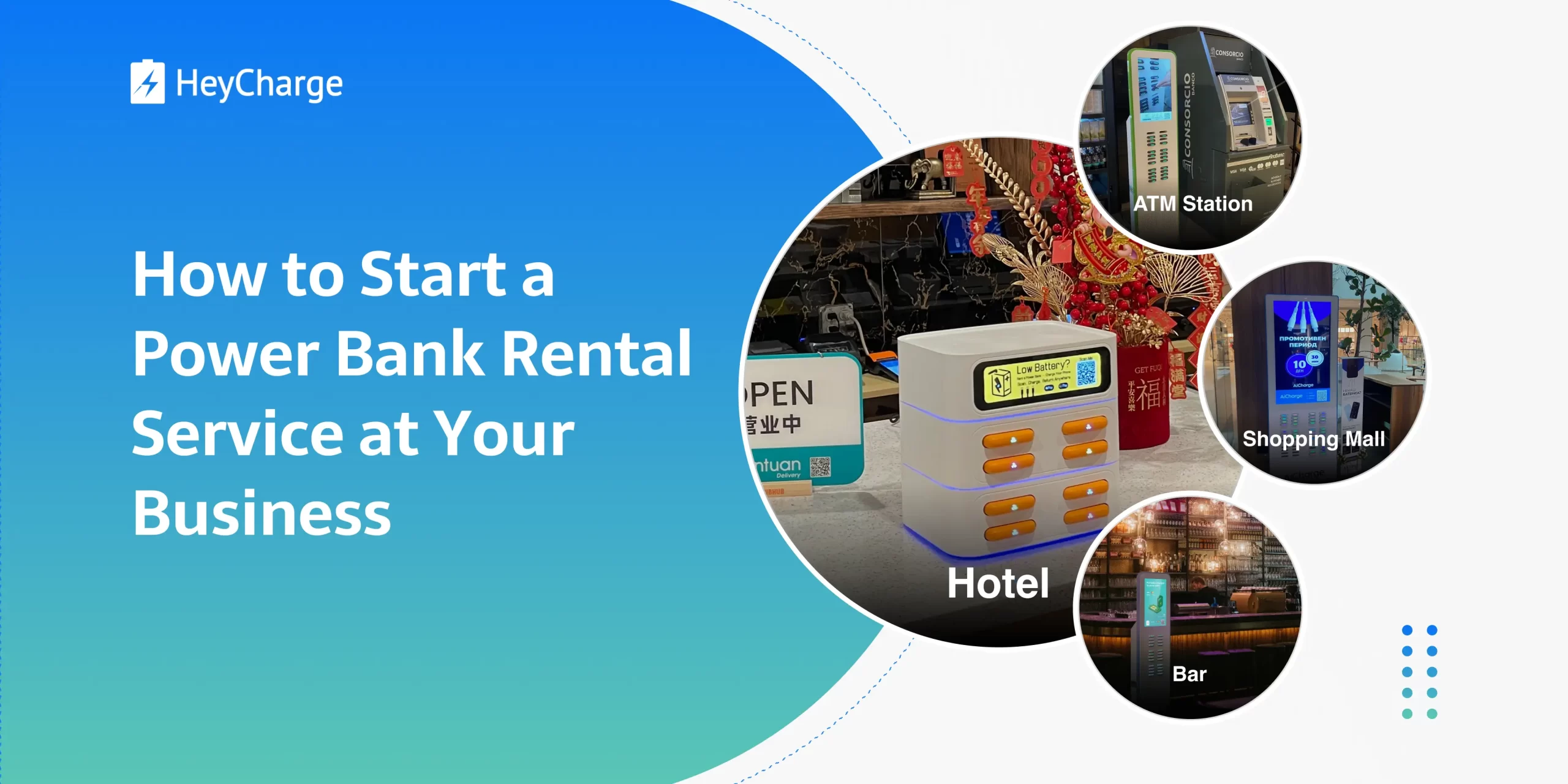
If you run a restaurant, bar, hotel, or retail store, power bank rentals can offer a convenient service for your customers while bringing in additional income. You can make use of your existing space and foot traffic without having to build a separate business.
You don’t need to develop your own hardware or software to get started. Established suppliers can provide the rental stations, power banks, rental software, and management platform. Even if you operate just one store, you can start with a single station.
This guide covers how to find a supplier, choose the right station for your venue, manage daily rentals, and improve rental revenue.
Table of Contents
1. Understand Your Role as a Venue Owner
The rental process is largely self-service: customers can borrow and return power banks on their own, while the system automatically handles orders and billing.
As a venue owner, your responsibilities generally fall into three areas:
Before launching: Choose a reliable supplier and suitable station, find a convenient location within your venue, set your rental prices and billing rules, and test the complete rental process.
During daily operations: Occasionally check your management dashboard for orders, revenue, and station status. Make sure the station is online, with enough power banks available to rent and empty slots for returns.
When issues arise: Use the order records to handle customer questions, such as failed rentals, return problems, or refunds. For equipment faults, contact your supplier for technical support.
With a reliable rental system and clear technical support, these tasks can usually fit alongside running your existing business.
2. Find a Power Bank Rental Supplier
2.1 Look for a Complete Hardware and Software Solution
When choosing a supplier, make sure the hardware and software work together to support the entire rental process.
Here are a few things to check:
- Hardware quality and durability: Are the stations and power banks built for frequent daily use, with reliable performance and low maintenance needs?
- Rental experience: Can customers easily view prices, make payments, borrow, and return power banks?
- Payment compatibility: Does the system support payment methods commonly used in your country?
- Management platform: Can you configure prices, track orders and revenue, and monitor station status?
- Technical and after-sales support: What assistance is available for software maintenance, equipment faults, and rental issues?
Contact a few suppliers to compare their equipment, payment capabilities, and service terms before placing an order.
2.2 Understand Equipment Costs and Partnership Terms
A common arrangement is to purchase the rental stations and power banks, along with paying any agreed fees for software, server hosting, and maintenance. Depending on the contract, you may operate the service without sharing rental revenue with the supplier.
Some suppliers may also offer discounted equipment in exchange for a share of future rental revenue. The availability and terms of this arrangement depend on the supplier and project size.
When comparing suppliers, consider both upfront and ongoing costs:
| Cost | What to Check |
|---|---|
| Equipment | Rental stations, power banks, and accessories |
| Shipping and taxes | Freight, import duties, and applicable taxes |
| Software and servers | Setup fees, monthly subscriptions, or ongoing service charges |
| Payment processing | Transaction fees charged by payment providers |
| Revenue sharing | Any percentage of rental revenue payable to the supplier |
| Branding | Costs for custom logos, station designs, or software interfaces |
| Maintenance | Normal wear and tear, battery aging, repairs, and replacements |
The lowest equipment price may not be the best deal over time, so compare the total expected costs before making a decision.
2.3 Use an Existing Brand or Create Your Own?
If you’re operating a single venue, using the supplier’s existing brand and rental interface may be the simplest choice.
If you own several locations or want charging to become part of your business identity, consider a white-label solution.
With a white-label solution, you can add your logo and branding to the rental stations, power banks, and customer rental interface. Some suppliers also offer further customization, such as changes to the station’s appearance or the rental interface design.
Customization may involve additional fees or minimum order quantities, so it’s worth checking before purchasing.
For example, HeyCharge has been providing power bank rental hardware and software solutions since 2014. One of its key strengths is durable, reliable hardware designed for frequent daily use, with longer maintenance intervals that help reduce downtime and long-term operating costs.
HeyCharge also offers white-label customization and flexible partnership terms, including negotiable equipment costs and revenue-sharing arrangements. Partners can set their own rental prices and independently manage their stations and rental income.
Whichever supplier you choose, test the full customer rental process and make sure the agreement clearly covers fees, software services, and technical support.
3. Choose the Right Station Type and Capacity
Power bank rental stations come in different sizes, from compact countertop units to larger freestanding kiosks.
For most venue owners, the right choice comes down to available space, expected customer demand, and preferred payment methods.
3.1 Match the Station to Your Venue
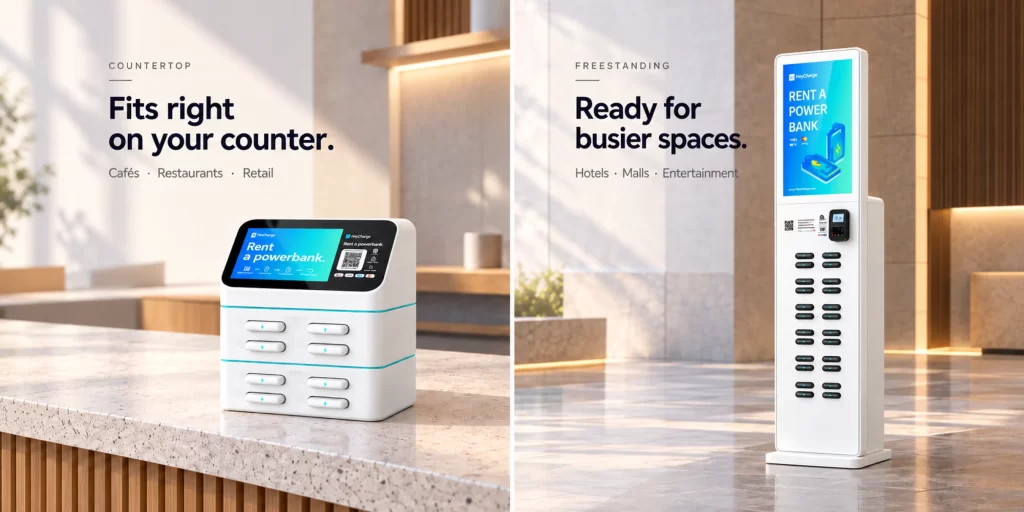
Countertop stations are well suited to restaurants, cafés, bars, and smaller retail stores. They can sit near a cashier, reception desk, or service counter without occupying much floor space.
Larger freestanding kiosks are more suitable for hotel lobbies, shopping malls, entertainment venues, and spacious public areas. These locations may have enough room for a larger station and greater demand for available power banks.
Some stations also include screens, card readers, or POS terminals. Whether these features are necessary depends on how customers in your market prefer to pay.
For example, QR code rentals may be sufficient in markets where mobile payments are widely used. In places where card payments are more common, a station supporting contactless or card payments may provide a more convenient experience.
3.2 How Many Slots Do You Need?
The number of slots determines how many power banks a station can hold. It also affects how many are available to rent and how many empty slots remain for returns.
A larger station doesn’t automatically generate more revenue, so it’s useful to estimate demand before choosing capacity.
Consider these questions:
- Customer traffic: How many people visit your venue each day?
- Dwell time: How long do customers usually stay?
- Phone usage: Do customers regularly take photos, scan menus, make payments, or use social media?
- Peak demand: How many customers might need a power bank at the same time?
- Returns: Will the station have enough available slots for customers returning power banks?
If you’re running a small restaurant or café, starting with one appropriately sized countertop station can be a practical approach. Monitor how often customers rent and return power banks before deciding whether to add another station or increase capacity.
For larger venues, also consider how far customers need to walk to reach a station. Several smaller stations placed in convenient locations may sometimes work better than one large kiosk.
You can explore different station sizes, slot capacities, and payment configurations in our power bank rental stations.
4. Manage Your Rental Service
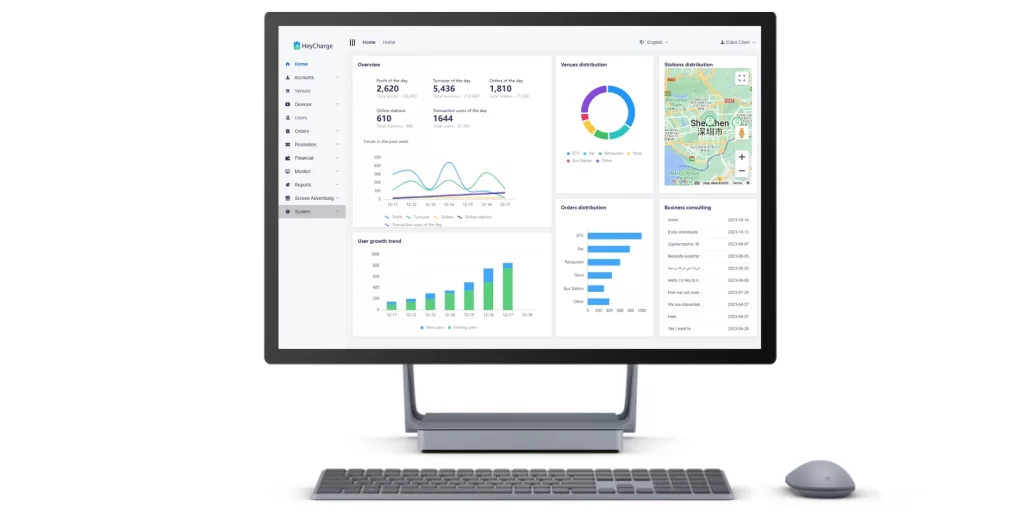
Once your station is running, the management platform helps you set prices, track rentals, and monitor equipment status.
Set Your Rental Prices
Depending on the software, you can set time-based rental rates, free usage periods, daily price caps, and fees for power banks that aren’t returned.
Before launching, make sure customers can clearly see the rental rates and any additional charges, including overtime fees, deposits, pre-authorizations, and non-return fees.
Monitor Orders, Revenue, and Stations
Your management dashboard gives you an overview of daily operations. You can use it to:
- Track orders and revenue: Review rental transactions, charges, and earnings.
- Monitor station status: Check whether your stations are online and operating normally.
- Manage inventory: See how many power banks are available to rent and how many empty slots remain for returns.
Check these regularly to keep your stations ready for customers. If you operate several locations, you can also use the data to redistribute power banks where they’re needed.
How you receive rental income depends on your payment setup. Some platforms let you withdraw earnings through the management system, while others support direct settlement through your own payment gateway or merchant account. Confirm the applicable fees, settlement process, and refund arrangements with your supplier.
Handle Customer Issues and Equipment Faults
Customers may occasionally report failed payments, a power bank that wasn’t released, or a return that wasn’t recorded correctly.
Start by checking the order and station status in your management dashboard. These records can help you identify the problem and determine the next step.
Before launching, agree with your supplier on how refunds, return disputes, and equipment faults will be handled. Having a clear support process makes it easier for your staff to respond when something goes wrong.
5. Increase Revenue and Recover Your Investment
Once your station is operating, rental frequency, average revenue per order, and ongoing costs will determine how much your venue earns. Here are a few ways to improve performance and track your investment.
Understand Your Rental Revenue
You can start with a simple monthly revenue estimate:
Monthly rental revenue = Average daily rentals × Average revenue per rental × 30
For example, suppose one station averages eight rentals per day, with an average charge of $2 per rental.
Improve Revenue Through Placement and Pricing
Make your station easy to find.
Power bank rentals often happen when customers notice a station just as they need to charge their phones.
Place your station where customers naturally pass, such as checkout counters, entrances, or reception areas. Avoid hidden corners or locations where customers have to ask staff for directions.
If rental volume is lower than expected, try moving the station to a more visible spot before investing in additional equipment.
Set prices that match customer behavior.
Consider local spending habits, competing services, and how long customers typically need a power bank.
Someone visiting a café may only need one for an hour or two, while customers at bars or entertainment venues may need it for longer. Choose a reasonable starting rate, time-based charges, and a price cap where appropriate.
If your software supports promotions, you can also test free rental minutes, introductory discounts, or coupons. Monitor the results to see whether the additional rentals justify the reduced revenue.
Track Performance and Calculate Payback
After launching, review a few key figures every week or month:
- Average daily rentals: How often customers use your station.
- Average revenue per rental: How much each rental brings in.
- Station availability: Whether connectivity or inventory issues are affecting rentals.
- Operating costs: How much you spend on software, payment processing, maintenance, and other ongoing expenses.
If rentals are low, review station visibility, customer awareness, and pricing. If rental volume is healthy but earnings are disappointing, look at discounts, transaction fees, and other costs.
For businesses with several locations, comparing these figures can also help identify which stations and operating practices perform best.
To estimate your payback period, add up your initial costs, including equipment, shipping, and applicable taxes. Then compare that investment with the operating earnings you expect to retain each month. This gives you a rough estimate of how long it may take to recover your investment.
For a more detailed financial model, read our Power Bank Sharing ROI: Payback Within 12 Months. It covers investment costs, operating expenses, and payback calculations in greater detail.
Conclusion
For an existing restaurant, hotel, bar, or retail store, power bank rentals offer a way to build an additional service around the customers and space you already have.
You don’t need to develop your own charging equipment or rental software. You can start with a suitable station, learn how customers use it, and expand if the results justify further investment.
Begin by finding a reliable hardware and software supplier, comparing equipment and ongoing costs, and choosing a station that fits your venue. Once it’s installed, use the management platform to track rentals and equipment status, and make small improvements to placement, pricing, and daily operations.
If you’re exploring equipment and software options, contact HeyCharge to discuss station configurations, rental management, branding, and flexible commercial arrangements. We can help you evaluate a setup that fits your venue, budget, and business plans.
And if you eventually want to expand beyond your own locations and build a wider rental network, our How to Start a Power Bank Rental Business: A Complete Guide covers the next steps, from market research and supplier selection to merchant partnerships and scaling your operations.
Frequently Asked Questions
Q1: What happens if a customer doesn’t return a power bank?
You can set a maximum rental period and a non-return fee, typically enough to cover the cost of a replacement power bank. If the customer doesn’t return it on time, the system automatically attempts to charge the fee.
Pre-authorization can help ensure successful payment. Alternatively, you can collect a deposit and refund the remaining balance after deducting rental charges.
Choose based on local payment habits and customers’ willingness to pay upfront. All applicable fees are clearly displayed before rental.
Q2: Can customers return power banks at other locations?
Usually, yes, if the stations belong to the same operator’s rental network.
However, power banks from independent brands generally cannot be returned to another operator’s stations, even if the equipment is identical. The system uses power bank IDs to identify which network they belong to.
Discuss your return requirements with your supplier before purchasing.
Q3: Does the station need Wi-Fi, and what happens if it goes offline?
You can choose stations with Wi-Fi only or models that support both Wi-Fi and a SIM card.
With a properly configured SIM connection, the station can automatically switch to cellular data if Wi-Fi goes down, helping keep the service running without interruption.
Q4: How often do the stations and power banks need maintenance?
Maintenance needs depend on equipment quality, usage frequency, and the operating environment. Routine tasks may include cleaning the station, checking its condition, and replacing power banks as their batteries age.
Choosing durable, reliable hardware can help reduce repair frequency, maintenance costs, and the time your staff spends dealing with equipment issues.