

Table of Contents
- Part 1: Customers Aren’t Borrowing Casually; They’re “On a Mission to Find Power”
- Part 2: “Emergency Decision-Mode Psychology”: What Goes Through the Mind When the Battery is Dying?
- Part 3: We Both Have Devices, So Why Did They Choose the Shop Next Door?
- Part 4: Can’t Move the Device? Use These 4 Levers to Turn the Entrance Seconds to Your Advantage
- 4.1 Let Customers Know From the Outside: You Have Power Banks, and They’re “Easy & Affordable”
- 4.2 Use “No-Brainer” Pricing So They Dare to Rent in 1 Second
- 4.3 Use a “Small Promotion” to Give Them a Reason to “Choose You”
- 4.4 Use “Small Combos” and “Hassle-Free Experience” to Turn “Should I Rent?” into “Might as Well Rent.”
- Conclusion: What You Really Need to Win Back is the Customer’s Trust in Those Few Seconds
Have you ever experienced this? Your shop has a shared power bank. The price is reasonable, the machine works fine, but the backend data shows your neighbor’s unit gets rented more often. Sometimes, you even see it happen: a customer walks quickly down the hall, looks around, and then turns into another shop to scan and borrow a power bank.
The first questions that pop into many merchants’ minds are:
“Are their devices better?”
“Is it the brand?”
“Is their location just slightly better?”
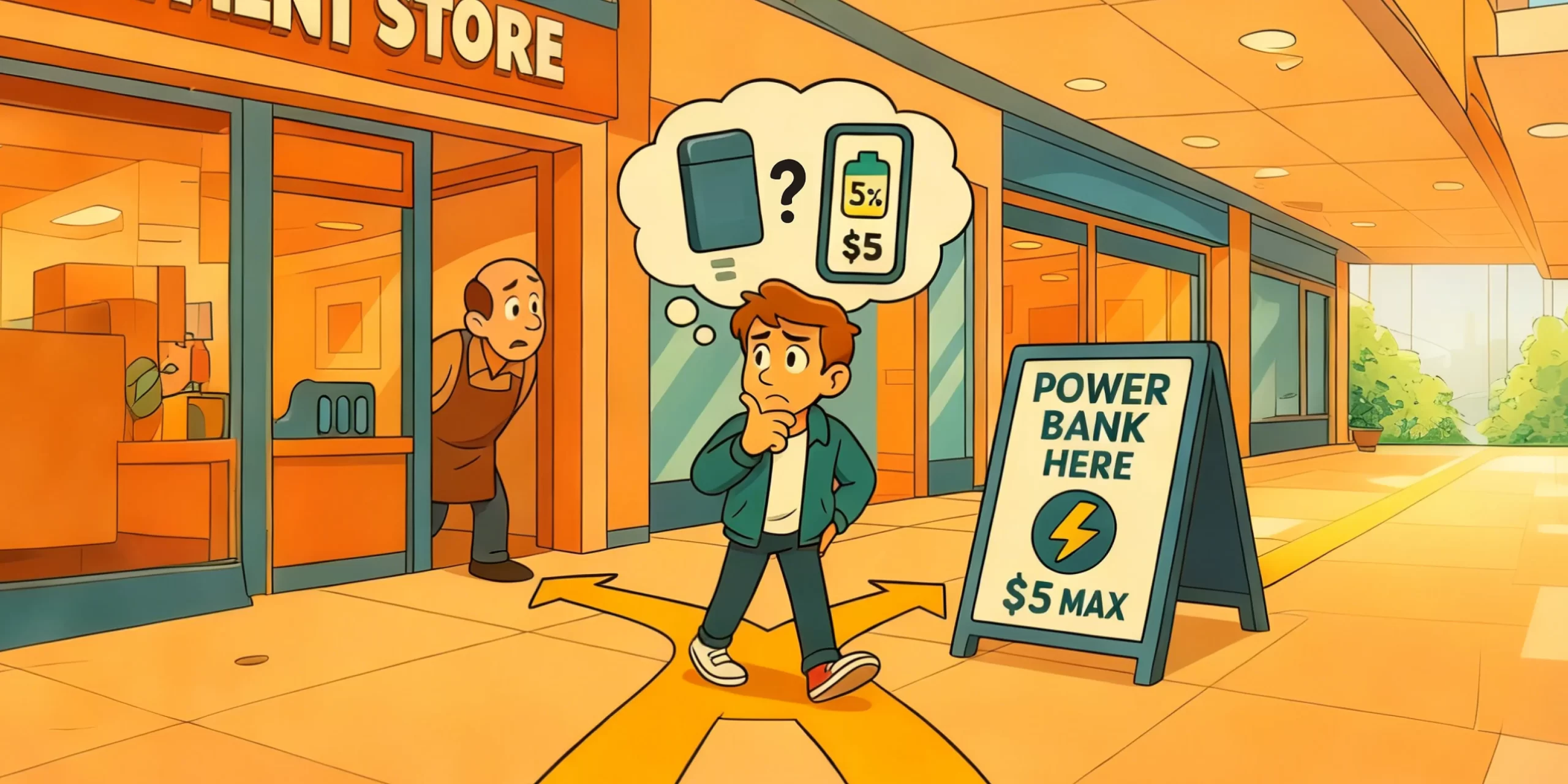
But if you slow things down and look closer, the truth is simpler. When a customer with a phone at 5-10% battery, friends waiting, and who needs their phone for ride-hailing or to make a payment walks past a row of shops, they aren’t “browsing leisurely.” They are on a very specific mission:
“I need to find a power bank that looks safe, easy to use, and affordable in the shortest time possible.”
In those few seconds, whichever shop makes them feel “yours is the easiest option” wins this side income.
What decides these few seconds is what we’re calling “Emergency Decision-Mode Psychology.”
Part 1: Customers Aren’t Borrowing Casually; They’re “On a Mission to Find Power”
Many merchants subconsciously imagine users like this: A customer strolls leisurely through the mall, sees a power bank in your shop, and casually rents one.
But reality often looks more like this:
Their phone battery drops to 5%. They glance at the screen, and their stomach tightens: “Crap, I’ll need my phone to get a ride or make a payment soon.”
There are still drinks on the table, friends are waiting. They stand up and say, “I’ll be right back, just going to get a power bank.”
They aren’t wandering aimlessly; they start quickly scanning the environment: Which storefront has a unit? Which one has a clear sign? Where looks easiest to rent from?
In this state, customers have several distinct characteristics:
Goal-Oriented: They only want to solve the “low battery” problem, not research extra features.
Time-Pressed: Friends are waiting, the phone could die any second. Their time is extremely short.
Focused on Key Clues:
- “Where is there a power bank?”
- “Does it look expensive?”
- “Will it be a hassle?”
For merchants, this means:
- If customers can’t tell you have a device from outside your store, you’re basically eliminated from consideration.
- If they can see you have one, but the information is cluttered, complex, or vague, they’ll stop thinking and turn to the shop that looks “easier to understand” within 2-3 seconds.
So, your competition isn’t about “having the device”—everyone has that now. The real competition is: When the customer is “on a mission,” can you get chosen during those few seconds in the hallway?
Part 2: “Emergency Decision-Mode Psychology”: What Goes Through the Mind When the Battery is Dying?
This “Emergency Decision-Mode Psychology” isn’t mysterious; you experience it too. Imagine: It suddenly starts pouring rain, you have no umbrella, and two small shops are selling them. Which do you choose? Or, you urgently need a restroom—do you carefully compare which one has nicer decor?
Most people think: “The one that’s closer, easier to understand, and looks like I won’t get ripped off.”
When a customer’s phone battery is in the single digits, their brain does something similar—it switches from “compare slowly and calculate carefully” mode to “solve the problem now” mode.
In this state, they truly only care about four things:
1. Speed: Can I get it immediately?
- Is the QR code scan process intuitive?
- Are there simple step-by-step instructions?
2. Cost: Roughly, how much will it cost? Is it worth it?
- Is the price displayed prominently?
- Do I need to mentally calculate a bunch of time and fee rules?
3. Trust: Will I get tricked?
- Is the maximum price cap clearly stated?
- What happens if I lose it or exceed the time? Will I get charged randomly?
4. Convenience: Will I be stuck here?
- Can I return it to other locations after borrowing?
- Do I have to make a special trip back here to return it?
During those few seconds a customer pauses at your entrance or in the hallway, they are subconsciously scanning for answers to these four questions. If your storefront, the area around the machine, or your price list doesn’t make these four points clear, they will instinctively turn to the shop that looks “less troublesome.”
Part 3: We Both Have Devices, So Why Did They Choose the Shop Next Door?
Let’s make the scenario even more concrete.
On the same hallway, there are two shops: Shop A and Shop B. Both have a shared power bank unit. The prices are similar, and both machines work fine.
A customer walks quickly from the other end of the hall—
From a distance, they first see a standing sign outside Shop B:
“Power Banks Available Here
Urgent Charge · Daily Cap: 1$
3 Steps to Use, Multiple Payment Methods Accepted”
They glance toward Shop A:
- No clear sign saying “Power Banks Here” outside.
- The device is located further inside the shop, hard to see clearly from outside.
- The price list has small print, detailing “X$ per 10 minutes,” “Overtime charged at Y rate,” “Late returns charged Z fee”…
What is the customer thinking at this moment?
- My phone is about to die, my friends are waiting, I can’t linger.
- They don’t have time to squint at Shop A’s small-print price list, nor the mental energy to calculate the cost per 10 minutes.
So, they naturally think: “Forget it, let’s go to the one with clearer info.”
The result, you already know: The customer walks into Shop B, scans the code, and rents their device.
From the merchant’s perspective, the instinct might be: “Maybe their location is better.” “Is their machine newer?” But from the customer’s viewpoint, it’s simply: “I was in a hurry, short on time. That shop’s info was clearer, making it feel faster and more reliable. So I chose that one.”
You’re not losing on the hardware, but on who better understands “Emergency Decision-Mode Psychology” in those critical few seconds.
Part 4: Can’t Move the Device? Use These 4 Levers to Turn the Entrance Seconds to Your Advantage
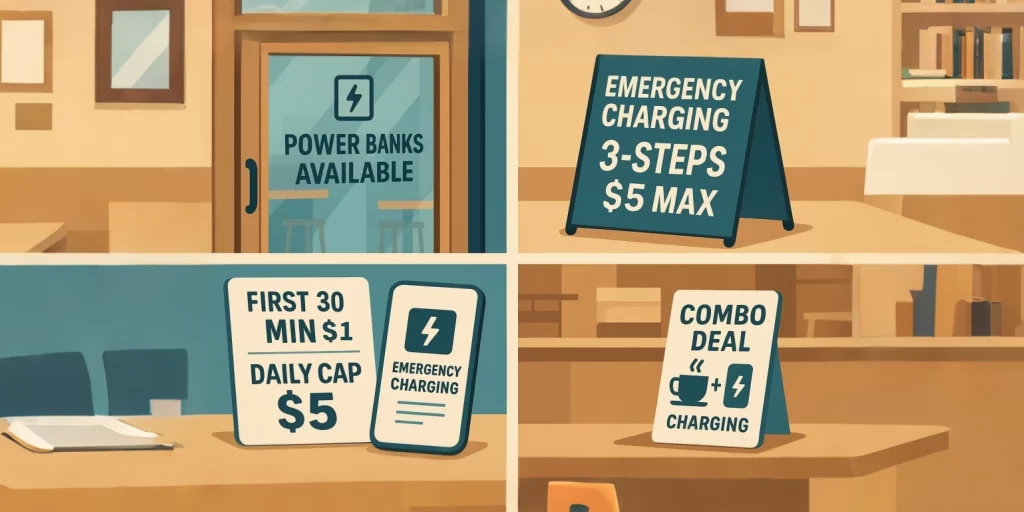
Many merchants say: “My location is fixed, the device is installed there; I can’t just move it.” That’s true. You might not be able to move the machine, but you can design the customer’s first impression. Without touching the hardware, you can use a few signs, some lines of text, or a small promotion to bring “Emergency Decision-Mode Psychology” to your side.
Here are four levers you can start adjusting today:
4.1 Let Customers Know From the Outside: You Have Power Banks, and They’re “Easy & Affordable”
Customers are in “power-seeking mode”; they won’t peek into every shop. It’s simple:
1) Place eye-catching notices on the door, glass, or windows:
- ‘Power Banks Available Here’
- ‘Phone Dying? Rent One in 3 Steps’
2) If you have a standing sign or small display, be more direct:
- ‘Urgent Charging · Daily Cap: $X’
- ‘Multiple Payment Methods · Returnable at Multiple Locations’
The bottom line: Let customers know from the hallway that you are a “safe, fast solution to the no-power problem,” not an option they discover only after walking in and looking around.
4.2 Use “No-Brainer” Pricing So They Dare to Rent in 1 Second
In an emergency state, customers lack the time and energy for mental math: “$X per 10 minutes equals how much per hour?” “Will renting for 3 hours be expensive?”
You can:
1) On the price list, use larger font for a main rule like:
- “First 30 mins: $X | Daily Cap: $X”
- Or: “Typically costs less than a bubble tea for an evening out.”
2) Place reassuring information like “price cap” and “no hidden fees” in the most prominent spot.
3) Put complex details (like precise per-minute rates) in a secondary location for those interested.
The goal is singular: Make the customer feel within 1 second: “This price seems acceptable, and it looks like I won’t get tricked. Let’s do it.”
4.3 Use a “Small Promotion” to Give Them a Reason to “Choose You”
When several shops on the same street have devices, and the customer is already rushed, they are actually more susceptible to a “small extra benefit.”
For example:
1) Charging Discount Type:
- “Get $1 off power bank rental with any purchase in our store.”
- “Power Bank Special: 30-min discount price from 6 PM-10 PM tonight.”
2) Rent-Now, Save-Later Type:
- “Rent a power bank, get a $X off coupon for your next drink here.”
- “Charge up today, don’t forget your coffee next time!”
3) Small Benefit Tied to Your Business:
- Bar: Free small snack with power bank rental.
- Bubble Tea Shop: Add $X to upgrade to a large size when renting.
- Restaurant: Free side dish with power bank rental.
These promotions don’t need to be huge. Their significance lies in making the customer think, when faced with multiple options: “If I rent here, I can get a little extra benefit too.” This shifts the psychology from “just solving a problem” to “gaining a small advantage.”
4.4 Use “Small Combos” and “Hassle-Free Experience” to Turn “Should I Rent?” into “Might as Well Rent.”
Sometimes, the decision to rent or not gets stuck on that tiny bit of hesitation, that “let me think for a second.” You can eliminate this hesitation through bundling and experience design.
Try this:
1) Bundle the power bank into existing scenes:
- “Solo Snack Combo: Drink + Snack + Charging Service at a bundled price.”
- “Waiting Area Special: Waiting Area Drink + First 30 mins charging discount.”
For the customer, it’s no longer “Should I spend money separately on charging?” but “I was going to eat/drink anyway, might as well bundle it.”
2) Place a super simple flowchart next to the machine:
- Steps simplified: 1. Scan Code -> 2. Tap ‘Rent’ -> 3. Take & Use.
- Add a line next to it: “Return at other partner locations after use. No need to come back here specifically.”
The core effect of both these tactics is: Making the customer feel that renting from you is the most hassle-free path to solving their problem. And for someone in “Emergency Decision-Mode,” “most hassle-free” is often more important than “cheapest.”
Conclusion: What You Really Need to Win Back is the Customer’s Trust in Those Few Seconds
As more and more shops install shared power banks, having the device itself is no longer an advantage—it’s just the starting point.
What truly decides where the customer spends their money is that moment when their phone is at 5%, their friends are waiting, and time is running out—
- Can they see you from the outside at first glance?
- Can they instantly understand roughly how much it will cost?
- Will they worry about being tricked or facing hassle?
- Do they feel that “by renting from you, they gain a little extra”?
“Emergency Decision-Mode Psychology” isn’t a profound theory; it’s a magnifying glass that helps you see what the customer truly cares about in their most anxious few seconds.
When you start focusing on these points—changing a sign at the door, rewriting a few lines on the price list, designing a small promotion, creating a bundled combo—you stop being just “another shop that also installed a device.” You become a shop that truly knows how to use the shared power bank side business to capture more customer flow.
You already have the device. The next step is to gradually pull the customer’s choice in those hallway seconds away from the shop next door and back to you.